

August 27, 2026 (Updated October 13th, 2026)
Ayoa vs Miro: Which Is The Better Mind Mapping Software?

The short answer:
Miro is an outstanding online whiteboard with a mind map widget on it. Ayoa is a purpose-built mind mapping tool with a whiteboard alongside it. That distinction decides almost everything.
In Miro, a mind map is one object among hundreds on an infinite canvas. It offers four node shapes, curved or straight connectors, and, by Miro’s own documentation, no way to put an image inside a node and no way to change the font. In Ayoa, the mind map is the product. Branches curve, taper, and can be drawn freehand, images sit inside branches, and the map is designed to be the finished artefact.
Choose Miro if your priority is a live workshop with twenty people on a shared canvas. Choose Ayoa if your priority is the mind map and mind mapping experience.
At a glance

|

|
|
|---|---|---|
| What it is | Mind mapping and work management platform | Visual collaboration platform, now positioned as an AI workspace |
| Mind map | The core product, with a dedicated editor | A widget on the whiteboard |
| Branch style | Curved, tapering, freehand, fully controllable | Connectors between nodes, curved or straight |
| Node shapes | Organic branches, box branches, radial segments | 4: none, pill, rounded rectangle, rectangle |
| Images inside branches | Yes, plus GIFs, sketches and AI-generated images | No. Miro’s help centre: “there is no option to attach an image to a node” |
| Font control | Yes, including the Lexend dyslexia-friendly font | No. Miro’s help centre: “Currently, it is not possible to change the font” |
| Freehand drawing | Yes, in mind maps and on whiteboards | Yes on the whiteboard, but not as part of a mind map node |
| Map direction | Radiates in all directions from the centre | Grows as a horizontal or vertical tree |
| Task management | Kanban workflow, Canvas, Gantt, dependencies, milestones, assignees | Kanban widget, Timeline, cards with assignees. Dependencies on Business and above |
| Platforms | Web, iOS, Android, desktop (as a PWA install) | Windows, macOS, iOS, Android, Web |
| Free plan | 10 mind maps | 3 editable boards |
| Price | Ayoa Ultimate 3 Year Option from only $6.10 per month | Starter $8, Business $20 per member per month billed annually. Enterprise from 30 seats |
| Independent standing | TechRadar #1 best mind map software overall | TechRadar #2 for collaborative mind mapping. Not included in Zapier’s mind mapping roundup |
What each product is actually for
Miro is very good at what it is for. Its homepage now reads “The collaboration layer your AI tools are missing”, and the product has moved decisively toward product development workflow, AI agents and enterprise orchestration. For a distributed workshop where twenty people are co-creating at once, with a timer running, live voting, emoji reactions and video chat in the board, Miro is close to best in class. Nothing in this article should be read as disputing that.
Ayoa is for mind mapping. Chris Griffiths, Ayoa’s founder, developed iMindMap with Tony Buzan, the inventor of the mind map, between 2005 and 2019, bringing the hand-drawn mind map into software in 2007. Chris and OpenGenius then launched Ayoa in 2019 as the cloud successor, then added task boards, Gantt, whiteboards, chat and AI around the mapping core. The mind map is not a template in Ayoa. It is the thing the product was built to do.
The mind map itself
Here is where the two products genuinely diverge, and the evidence comes largely from Miro’s own documentation.
What Miro’s mind map can do
You create a mind map from the Creation toolbar or with Miro AI, then click anywhere on the board to place the parent node. Auto layout is on by default, so child nodes align themselves, and you can turn it off and invoke “Layout nodes” manually. Dragging a node onto another reparents it. Holding Ctrl or Cmd moves it instead. Connectors can be curved or straight. There is a colour palette with per-node and per-branch colour, plus a Randomize tool. Keyboard shortcuts are sensible: Return for a sibling, Tab for a child.
It is a competent structural mind map. It produces a clean hierarchy quickly.
What Ayoa’s mind map can do
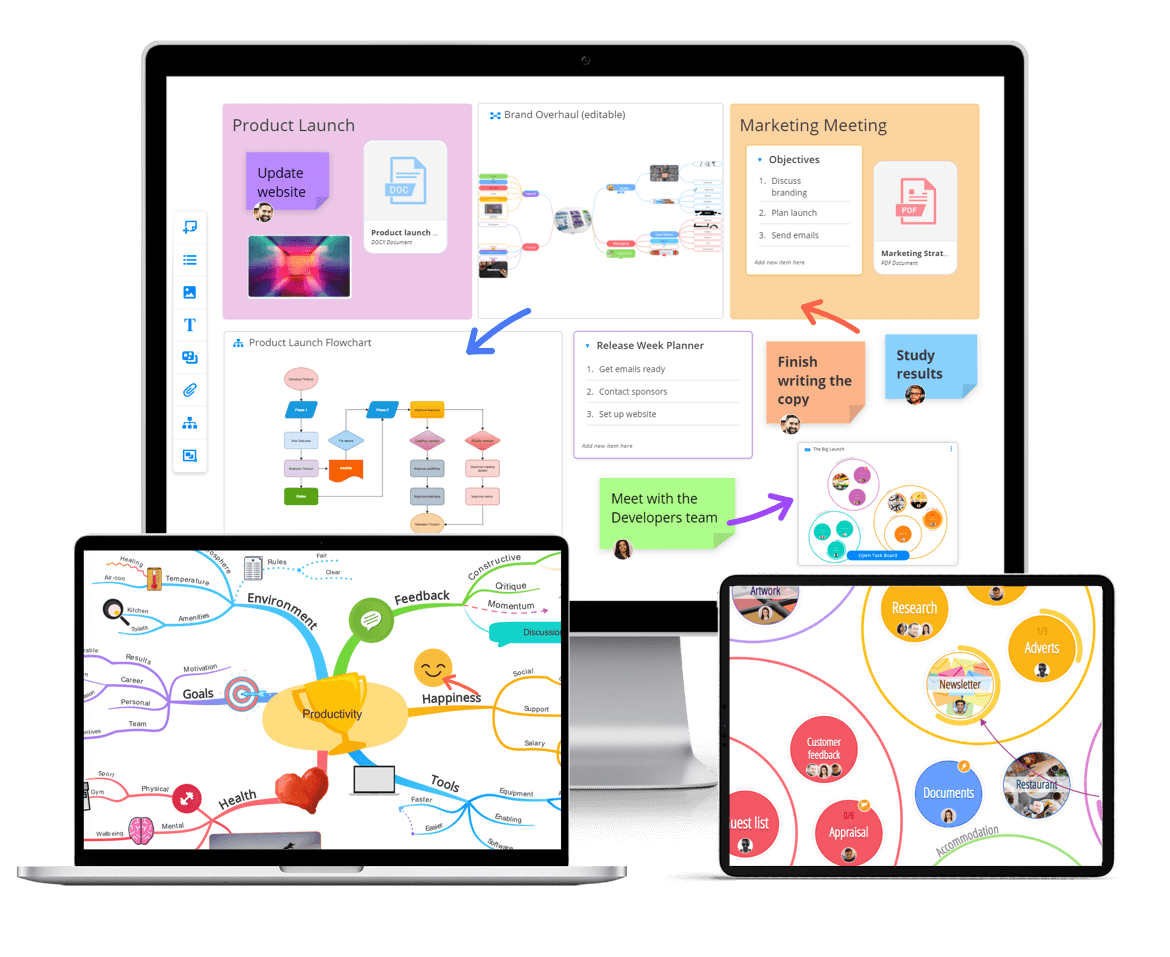
Ayoa’s Organic Mind Maps are a registered trademark of OpenGenius, and they behave like a hand-drawn map. Branches curve rather than connect two boxes. Hover over a branch and control points appear, so you can bend it into the shape you want. Branch thickness varies, so the map tapers from a thick trunk at the centre down to fine tips at the edges. There is a freehand mode. GIFs and AI-generated images sit inside branches. Fonts are yours to change, including the Lexend dyslexia-friendly typeface.
Ayoa also offers radial maps built from circular segments, and capture maps for free-floating idea bubbles when you do not yet have a central idea. Auto Focus and Auto Layout are there for when you want the software to tidy up.
Can you make a Buzan-style mind map in Miro?
Honestly, no.
- Central image: not possible, since images cannot sit in a node
- Images on branches: not possible
- Organic, tapering, curvilinear branches: Miro offers curved connector lines between rectangular or pill-shaped nodes, with no variable width and no taper
- Radiant structure: Miro grows a horizontal or vertical tree, not a map radiating in all directions
- Typographic variation for emphasis: explicitly impossible, since the font cannot be changed
What Miro produces is a tidy hierarchical node-and-line diagram, closer to a horizontal org chart than to a mind map. It is a good structural map and a poor visual one.
An independent source reaches the same conclusion by a different route. Zapier’s best mind mapping software roundup, last updated July 2026, does not include Miro or any other whiteboard app. It points readers to a separate whiteboard apps list instead, noting that they “all have mind mapping templates, though the experience won’t be quite as smooth as with a dedicated mind mapping app”. TechRadar’s mind map roundup does include Miro, at number two for collaborative mind mapping, with the con recorded as “interface might be too complex for users seeking basic mind mapping”. It ranks Ayoa number one overall.
Task and project management
Both tools have some. Neither is a full PM suite, and it is worth being precise about the gaps.
Miro has a Kanban widget you place on a board, with swimlanes, grouping, sorting and filtering, and cards carrying assignee and estimation fields. Jira cards sync two-way. There is a Timeline with time scales from days to years, drag-and-drop records, milestones, grouping and filtering. Dependencies, via Blocked by and Blocking fields, require Business or Enterprise.
Miro’s own documentation lists two limits on the Timeline: “Automatic date adjustments based on dependencies are not yet available”, and “Dependencies are not yet supported for Jira-synced records or other third-party integrations”. Nothing in Miro’s Timeline documentation offers critical path analysis or resource and workload allocation. Also worth knowing: guest editors cannot add or edit Kanban.
Ayoa offers three views over the same tasks. Workflow is a Kanban board with categories and sub-categories. Canvas shows tasks as bubbles you cluster and arrange spatially across an infinite canvas. Gantt Timeline gives drag-and-drop scheduling with milestones and dependencies. Tasks carry start and due dates, urgency levels, an importance flag, progress percentage, assignees, checklists, notes, attachments, comments, tags and cover images, plus repeating tasks, filtering and archiving. Mind map branches convert directly into tasks. Chat messages drag into tasks. My Planner sorts your own work into Now, Next and Soon, with a daily summary email and mobile push notifications.
Neither product offers workload or resource capacity views. Ayoa’s task layer is deeper on task attributes and on the map-to-task path. Miro’s advantage is the Jira integration and the sheer size of its integration catalogue.
Where Miro is genuinely better
It would be dishonest to write this comparison without saying so plainly.
Real-time multiplayer on an infinite canvas is Miro’s moat. The workshop toolkit is excellent: built-in timer, voting, emoji reactions, video chat, comments and presentation mode. TalkTrack lets you record an asynchronous walkthrough over a board, which is a real answer to distributed working rather than a cosmetic one. There are 7,000-plus templates and 250-plus integrations. Guest access on paid plans does not consume seats. Enterprise credibility is substantial.
If you are running a 20-person design sprint across three time zones, Miro is the right tool and Ayoa is not trying to be, since the focus of Ayoa is on the mind mapping visuals.
Pricing, checked August 2026
Miro. Free with three editable boards. Starter is $8 per member per month billed annually. Business is $20 per member per month billed annually. Enterprise is custom pricing with a 30-member minimum. Miro states that annual billing saves 20 per cent against monthly. Business at $20 per member per month works out at $240 per user per year, so a 30-person team costs $7,200 a year.
Ayoa. Free plan with up to 10 mind maps. Ayoa Ultimate is around $13 per user per month billed annually, or $17 billed monthly, with a three-year option marketed as three years for the price of two. There is a 7-day Ultimate trial. Team and education pricing is quote based.
At the tier where dependencies become available, Miro Business at $20 costs more than Ayoa Ultimate at $13, and the mind mapping you get for it is materially weaker.
Who should choose which
Choose Miro if:
- Live workshops with large groups are your primary use case
- You need a timer, voting, reactions and video chat in the same canvas
- You are deeply invested in Jira and want two-way card sync
- You need 250-plus integrations and an enterprise procurement story
- Your mind maps are rough structural sketches inside a wider workshop, not finished artefacts
Choose Ayoa if:
- The mind map is what you are making, and you want it to look like one
- You want a true authentic Buzan like mind mapping experience
- You need images inside branches and control over fonts
- You want curved, tapering branches you can shape and draw by hand
- You want mapping, Kanban, Gantt, whiteboards, chat and AI in one subscription
- You are neurodivergent, or support people who are, and want dyslexia view, Lexend font and Neuro Settings built in
The verdict
This is not really a fair fight in either direction, because the two products are answering different questions.
Miro is a superb whiteboard but if you came here searching for mind mapping software, the relevant question is what Miro’s mind map widget actually does, and it is not much. Zapier’s mind mapping roundup covers dedicated mind mapping apps only, and sends readers wanting a whiteboard to a separate list.
Ayoa is where the mind map is the point. Branches curve because you curved them. They taper because that is how a mind map carries hierarchy and holds attention. You can sketch inside them. Images live in the branches, not beside them. And when the ideas are ready to become work, they convert into tasks on a Kanban board or a Gantt timeline without leaving the tool. TechRadar rated Ayoa the best mind mapping software overall in its most recent roundup.
Plenty of teams use both. If you only want one, and mind mapping is the reason you are looking, it should be Ayoa.
Try Ayoa free. Ten mind maps, no card required.
Frequently asked questions
Is Miro good for mind mapping?
Miro is good for quick structural mind maps inside a wider workshop. It is limited as a dedicated mind mapping tool. Zapier’s July 2026 mind mapping roundup does not include Miro or any other whiteboard app, noting that whiteboard apps have mind mapping templates but “the experience won’t be quite as smooth as with a dedicated mind mapping app”.
Is Ayoa cheaper than Miro?
Yes at the comparable tier. Ayoa Ultimate is around $13 per user per month billed annually. Miro Starter is $8 and Miro Business, the tier where task dependencies become available, is $20 per member per month billed annually. Figures checked August 2026.
Does Miro have a Gantt chart?
Miro has a Timeline that supports milestones, grouping and filtering, with dependencies available on Business and Enterprise. Miro’s documentation confirms that automatic date adjustment when dependencies change is not available, and that dependencies do not work on Jira-synced records. Critical path analysis and resource or workload allocation are not offered. Ayoa has a Gantt Timeline with drag-and-drop scheduling, milestones and dependencies included in Ultimate.
Do I need both Miro and Ayoa?
Some teams run both, using Miro for large live workshops and Ayoa for mind mapping and day-to-day work management. If you want one tool and mind mapping is the reason you are shopping, Ayoa covers the whiteboard use case too, with an infinite canvas, freehand pen, sticky notes, shapes and flowcharts.
Prices and product features in this article were checked in August 2026. Competitor pricing and features change, so check the vendor’s own pricing page before purchase.
Get started with Ayoa
Ayoa seamlessly blends idea generation, task management and team collaboration features to help you achieve your best work.
Try it for free