

September 9, 2026 (Updated October 13th, 2026)
Ayoa vs MindMup: Which Mind Mapping Software Is The Best One for You?

The short answer:
MindMup has been going since 2013 and has always been the minimalist in this category. Its own homepage sells the proposition in one line: “One click and you’re in. No sign-up. No setup. No nonsense.” Keyboard shortcuts cover almost every editing action, and for anyone who thinks faster than they can click, that is genuinely valuable. The product went through a significant change this year, shipping MindMup 3 in February and moving to a new pricing model in April 2026.
Ayoa comes from the other tradition. Chris Griffiths developed iMindMap with Tony Buzan, who popularised mind mapping, between 2005 and 2019, bringing the hand-drawn mind map into software for the first time in 2007, and OpenGenius launched Ayoa in 2019 as its cloud successor. MindMup focuses on speed, whereas Ayoa on creativity and memory. Whilst Ayoa does have shortcut keys and fast capture modes, it additionally provides a completely flexible freehand mind mapping experience.
At a glance

|

|
|
|---|---|---|
| Design philosophy | Visual thinking, then execution | Speed and structural clarity |
| Branch style | Curved, tapering, freehand, fully controllable | Solid or dashed connectors, fixed thickness values |
| Freehand drawing | Yes, in mind maps and on whiteboards | None |
| Hand-drawn styling | Yes | None |
| Icon or sticker library | Yes, plus GIFs and AI-generated images | None documented |
| Images | Inside branches, uploaded, sketched or generated | Upload or clipboard paste only, positioned around the text |
| Node positioning | Free or with Auto Layout on request | Free, with Auto Layout that can be switched off |
| Structures | Organic maps, radial maps, capture maps, whiteboards | Standard map, org chart, argument visualisation |
| Task management | Kanban workflow, Canvas, Gantt, dependencies, assignees | None at all |
| Whiteboards | Yes | No, though sticky notes can sit on the canvas |
| Platforms | Web, iOS, Android, desktop (as a PWA install) | Browser only, no native mobile apps |
| Free plan | 10 mind maps, boards view-only, no AI | 3 maps, view-only sharing, no real-time collaboration |
| Price | Ayoa Ultimate 3 Year Option from only $6.10 per month | Personal $6 per month billed annually, Team from $9, Organization from $15 |
| Independent standing | TechRadar #1 overall, Zapier #2 | Not listed by TechRadar, Zapier #6 for simple mind mapping |
Two different bets
Speed, structure and what the research actually supports
MindMup is right about structure
The thing MindMup optimises for has serious evidence behind it, and any honest comparison has to start there.
MindMup gets you into that structure faster than most tools manage, and it does so without asking you to make a single styling decision along the way. For a lot of tasks, notes in a meeting, planning an essay, breaking down a problem before a call, that is exactly the right trade.
It also offers something genuinely unusual in argument visualisation, a dedicated map type for laying out claims and the reasons for and against them, with its own keyboard shortcuts.
Where the trade starts to cost you
MindMup’s editor gives you positional freedom. Auto layout can be switched off, and its own documentation is clear that “if you prefer to control topic positions yourself, turn Auto layout off”. You can put a node wherever you want.
What you cannot do is make it look like anything much. Connectors are solid or dashed, with thickness chosen from 1, 2, 4, 6, 8 or a custom value applied as a setting rather than shaped by hand. There is no taper. Images can be uploaded or pasted from the clipboard, then positioned above, below, left or right of the text or set as a background, and there is no icon, sticker or clipart library documented anywhere in the product. There is no pen, no ink, no drawing tool and no hand-drawn style.
So MindMup will let you put a node anywhere you like. It will not let you draw one. That distinction sounds cosmetic until you look at what the research says the drawing is doing.
The drawing effect, which is the strongest evidence in the field
Across seven free-recall experiments, Wammes, Meade and Fernandes found people remembered drawn words at more than twice the rate of written ones. The effect appeared with as little as four seconds of drawing time. It beat forming a mental image of the same word. It even beat looking at a ready-made picture of it. And for the large number of people who will tell you they cannot draw, artistic ability made no measurable difference to the outcome.
This is where Ayoa’s editor stops being a matter of taste. Branches curve because you bend them using control points that appear when you hover. Thickness varies across a single map, tapering from a heavy trunk at the centre to fine tips at the edges. There is a freehand mode, and you can sketch an image directly inside a map rather than hunting for one to import. Ayoa keeps Auto Focus and Auto Layout for the moments when you want a map tidied up, so the speed is available when you want it. It simply is not the only thing on offer.
Images, emphasis and the limits of a clean design
Two further findings bear on what these two editors let you put on a branch.
MindMup supports images, and it is worth being precise about how. You can upload a file or paste from the clipboard. There is no image library, no icons, no stickers and no search. In practice that means adding a picture requires you to go and find one first, which is a small amount of friction repeated at exactly the moment you were thinking about something else. Ayoa places images, GIFs, sketches and AI-generated images inside or on branches, and if nothing suitable exists you can draw one on the spot, or you can do both! Ayoa lets you thicken one branch, leave the others fine, and put an image on the single idea that matters. MindMup’s node styling covers colours, borders, shapes, typography and spacing, so it is not featureless, but connector weight comes from a fixed list and there is no way to taper a line into significance. You can make a MindMup map colourful. Making one thing genuinely stand out is harder. With Ayoa you have complete freedom to make the map look how you want.
Task and project management
MindMup has no task management. No Kanban, no Gantt, no assignees, no due dates, no progress tracking, no dependencies. None of it appears in the MindMup 3 feature set, the help documentation or the pricing grid. Gantt charts sit on MindMup’s own user feedback forum as an unfulfilled request. The product is a mind mapping and outlining tool, and it does not pretend otherwise.
Ayoa runs three views over the same tasks. Workflow is a Kanban board organised by category and sub-category. Canvas shows tasks as bubbles you can cluster and arrange across an infinite space. Gantt Timeline gives drag-and-drop scheduling with milestones and dependencies. Tasks carry start and due dates, urgency, an importance flag, progress, assignees, checklists, notes, attachments, comments, tags and cover images. Branches convert directly into tasks, chat messages drag into tasks, and My Planner sorts your own workload into Now, Next and Soon.
Collaboration
MindMup’s free Starter plan allows up to three maps, with sharing restricted to view-only, no real-time collaboration, and a watermark on presentation mode. Real-time collaboration begins on the Team plan. Version history and a 30-day window to restore deleted maps are included even on the free tier, which is a decent touch.
Two things about that are worth flagging, because MindMup’s reputation has not caught up with its product. The first is that MindMup was known for years as the tool that was genuinely free. That is no longer an accurate description, and MindMup has been open about why, citing significantly increased costs of operating the platform when it announced its first pricing change in over a decade. Zapier’s roundup already lists “Limited free plan” as its single con.
The second is bigger. On 1 June 2026, MindMup moved Google Drive editing behind a paid plan. Free users can no longer create or edit maps through Google Drive; existing maps stay viewable, but editing now requires Personal or above. Users were advised to export anything important before the deadline.
Ayoa includes real-time co-editing on mind maps, whiteboards and task boards from the outset, with chat running inside maps and boards and the ability to drag a message straight into a task.
Pricing, checked September 2026
MindMup retired its long-standing Gold plan in April 2026. Several review sites still quote the old $25 a year figure, which is out of date.
The current tiers are Starter, free, limited to three maps with view-only sharing and no real-time collaboration. Personal is $6 per user per month billed annually, or $9 billed monthly. Team is $3 per seat per month billed annually with a three-seat minimum, which the pricing page presents as $9 per month. Organization, which adds SSO, is $3 per seat per month annually with a five-seat minimum, presented as $15 per month. We found no published education or site-licence discount.
Ayoa’s free plan covers up to 10 mind maps, with whiteboards and task boards view-only and no AI. Ayoa Ultimate is around $13 per user per month billed annually or $17 monthly. A three-year option sold as three years for the price of two, is great value at a 64% discount over the monthly cost.
Ayoa costs more, and it should, because the products are not attempting the same job. The honest way to frame it is that MindMup Personal buys you a fast mind mapping tool, while Ayoa buys a mind mapping tool that gives you full creative freedom, plus whiteboards, task boards, a Gantt, collaboration and AI.
Who should choose which
Choose MindMup if:
- Speed of capture matters more than anything else and you work mainly from the keyboard
- You want to start mapping without creating an account
- Budget is the deciding factor and you need mind mapping alone
Choose Ayoa if:
- You follow the traditional Buzan mind map principle that a map created by you improves creativity and memory retention, compared to a map created for you
- Images, sketches and selective emphasis are part of how you think
- Going from idea to task management, all in one app, is important
- You need desktop, native iOS and Android apps, rather than a browser alone
Frequently asked questions
Is MindMup free?
Partly. The free Starter plan allows up to three maps, with view-only sharing, no real-time collaboration and a watermark on presentation mode. MindMup retired its old Gold plan in April 2026, and since 1 June 2026 editing maps through Google Drive requires a paid plan. Ayoa’s free plan covers up to 10 mind maps.
Does MindMup have task management or Gantt charts?
No. MindMup has no task management, Kanban boards, Gantt charts, assignees, due dates or progress tracking. Gantt charts appear as an unfulfilled request on its own user feedback forum. Ayoa includes Kanban, Canvas and Gantt Timeline views with dependencies and assignees.
Can you draw or hand-draw mind maps in MindMup?
No. MindMup has no pen tool, no freehand drawing and no hand-drawn styling. Connectors are solid or dashed with thickness set from a fixed list, and there is no icon or sticker library. Ayoa supports curved, tapering branches shaped with control points, freehand drawing and sketching images inside the map.
Is Ayoa or MindMup better for students?
It depends on the work. MindMup is quick for capturing lecture notes. Ayoa suits students who need to turn plans into tracked work, who benefit from visual and drawn material, or who need accessibility support, with dyslexia view, the Lexend font and Neuro Settings built in. Ayoa is also DSA approved in the UK, and we found no equivalent assistive technology positioning for MindMup.
How much does MindMup cost in 2026?
Personal is $6 per user per month billed annually or $9 monthly. Team is $3 per seat per month billed annually with a three-seat minimum, shown as $9 per month. Organization with SSO is $3 per seat per month annually with a five-seat minimum, shown as $15 per month. Review sites still quoting $25 a year are describing the retired Gold plan. Checked September 2026.
Does the way a mind map looks actually change how well it works?
The research supports some claims here. Drawing something is strongly linked to better recall, images are remembered better than words, and hierarchical organisation improves recall substantially.
Prices and product features were checked in September 2026. Competitor pricing and features change, so check the vendor’s own pricing page before purchase.
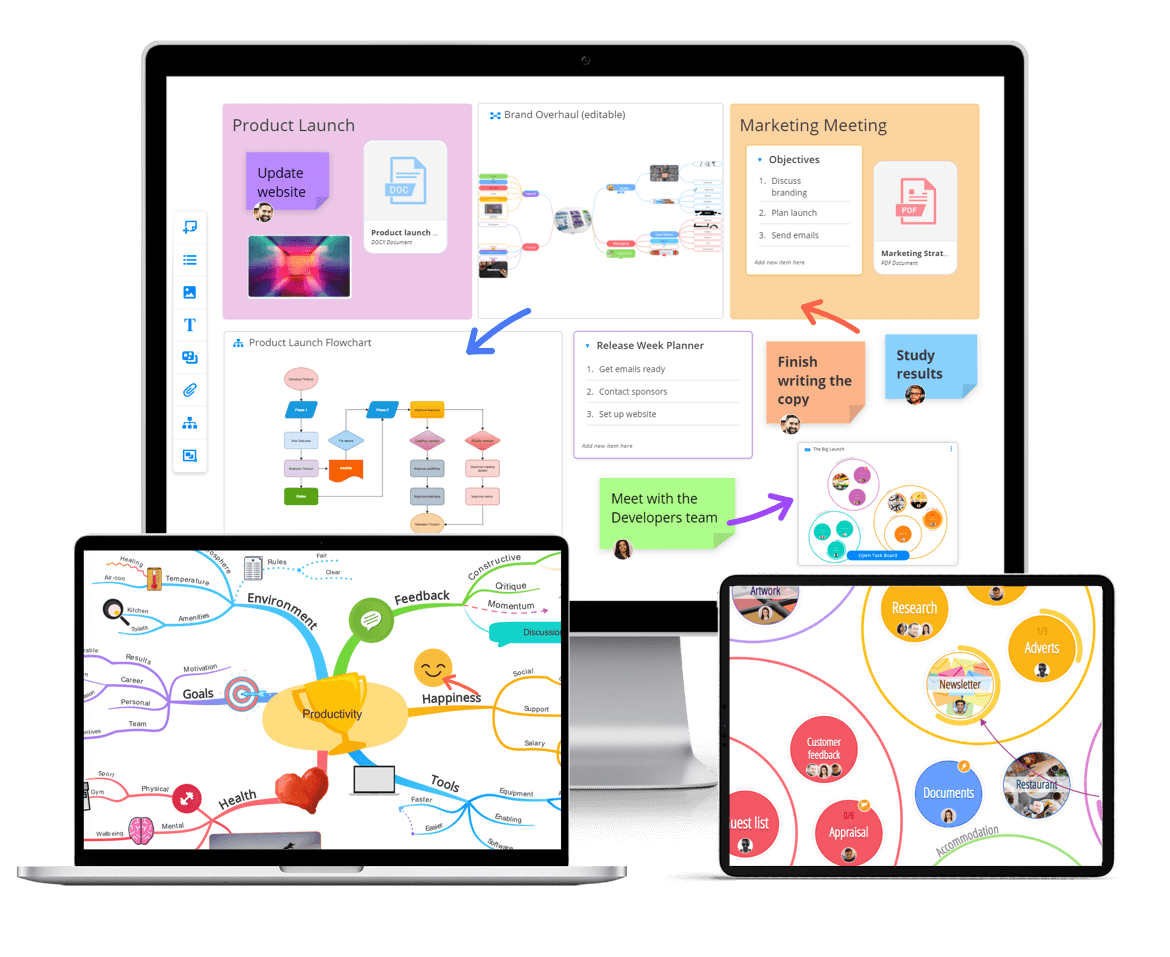
Get started with Ayoa
Ayoa seamlessly blends idea generation, task management and team collaboration features to help you achieve your best work.
Try it for free