

August 26, 2026 (Updated October 13th, 2026)
Ayoa vs MindMeister: Which Mind Mapping Software Should You Choose?

The short answer:
MindMeister makes clean, tidy, collaborative mind maps. Ayoa makes organic mind maps with curved, tapering branches you can draw and shape by hand, and it includes full task and project management in the same subscription.
The other difference is commercial. MindMeister’s task management is not in MindMeister. It is in MeisterTask, a separate product with its own subscription. Buy both at list price and you are paying for two tools. Ayoa is one tool, one price, one login. Choose Ayoa if you want the mind map to be genuinely yours to draw, and you want the work to live in the same place.
At a glance

|

|
|
|---|---|---|
| Made by | OpenGenius Ltd, Wales, UK | Meister (MeisterLabs GmbH), Germany |
| Branch style | Curved, tapering, freehand, fully controllable, true Buzan style | Curved or straight lines between uniform topic boxes |
| Freehand drawing | Yes, sketch inside mind maps and on whiteboards | No drawing, inking or sketch style |
| Layouts | Organic mind maps, radial maps, capture maps, whiteboards | 3: mind map (radial), list, org chart |
| Images in branches | Yes, on every plan, plus animated GIFs and sketches | Task management system, interactive Gantt, resource calendars, MS Project sync |
| Task management | Built in. Kanban workflow, Canvas, Gantt, dependencies, milestones | Requires MeisterTask, a separate paid subscription |
| Whiteboards | Yes, infinite canvas with pen, shapes, sticky notes | No |
| Platforms | Web, iOS, Android, desktop (as a PWA install) | iOS, Android, Web |
| Free plan | 10 mind maps, editable, with export | 3 mind maps, no exports at all, no image uploads, no version history |
| Billing | Monthly, annual or three-year | 6-month or 12-month only. No monthly option |
| Price | Ayoa Ultimate 3 Year Option from only $6.10 per month. | Personal €6.50, Pro €10.50, Business €15.50 per user per month on 12-month billing, ex VAT |
| Independent standing | TechRadar #1 best mind map software overall, Zapier #2 | TechRadar #3, Zapier’s pick for team collaboration |
Two products, or one
This is the first thing to get straight, because it changes the price.
Meister sells MindMeister for mind mapping and MeisterTask for task and project management. They are separate subscriptions. MeisterNote no longer exists as a standalone product and has been absorbed into MeisterTask as a Notes feature. The only combined offer is the Meister Bundle, which advertises savings of up to 30 per cent when you buy both products together.
MindMeister has no standalone task system in the current product. When you create a task from a map topic, you select a MeisterTask project and section, and the task lives in MeisterTask from the moment it exists. You can set name, description, due date and assignee from inside the map, and sync runs both ways, which is genuinely well built. But boards, Kanban, timeline, subtasks, automations and time tracking are all MeisterTask, not MindMeister.
At list price, MindMeister Pro plus MeisterTask Pro is €10.50 plus €13.50, so €24 per user per month before the bundle discount.
Ayoa Ultimate is one subscription at around $13 per user per month billed annually, and includes the task boards, the Gantt, the whiteboards and the chat.
The important stuff – Mind map editors, compared
What MindMeister does
MindMeister offers three layouts: a radial mind map, a vertical indented list, and a horizontal-then-vertical org chart. Only the org chart and list can be combined in one map. Auto layout is on by default, but you can disable it per topic and drag that topic anywhere on the canvas, and you can detach topics as floating topics. That is more positional freedom than several competitors allow, and it deserves credit.
Line style can be set per topic, with a choice of dynamic, meaning curved, or straight. Styling covers pre-set themes, topic size and colour, font style, size, family and colour, border colour and thickness, background colour, and a Show as Boundary option that draws a box around a topic. There is style copy and paste, bulk editing, an icon and emoji library, a custom colour palette on Personal and above, and custom branding on Pro and above.
The output is clean, uniform and readable.
What MindMeister does not do
There is no freehand drawing, no inking, and no hand-drawn or sketch style. This is not a matter of interpretation: the Format and Style section of MindMeister’s help centre contains only Layout, Appearance, Outline, Collapse and Expand, Text Formatting and Focus Mode. Nothing in the pricing file, the feature comparison or the product tour mentions drawing.
There is also no branch tapering. Border thickness is a topic property, not an organic width that narrows from the centre of the map to its edges. Content sits in uniform boxes rather than on branches.
A June 2026 review by Kobi Cohen at work-management.org puts the position fairly: MindMeister’s “customization options are less extensive than design-oriented tools”, they are “relatively modest”, and “MindMeister doesn’t offer advanced layouts like timelines or fishbone diagrams”.
What Ayoa does
Ayoa’s Organic Mind Maps are a registered trademark of OpenGenius, and the editor behaves like a hand-drawn map rather than a diagram. Branches curve rather than joining two boxes. Hover over a branch and control points appear so you can bend it into the shape you want. Branch thickness varies, so the map tapers from a thick trunk at the centre to fine tips at the edges. There is a freehand mode, and you can sketch a mind map with freedom, or choose more uniform styles.
Ayoa also offers radial maps built from circular segments, and capture maps for free-floating idea bubbles when you have not settled on a central idea yet. Auto Focus and Auto Layout tidy a map up when you want that. A document and outline view gives you the linear version. You can move between views which allows you to read document style when you need, or jump back into being creative on the mind map.
Why the difference matters
MindMeister produces excellent structural mind maps. Every topic looks like every other topic, the layout is orderly, and the map is easy to read.
That uniformity is the problem for anyone using mind mapping the way it was designed to work. Buzan’s method depends on visual distinctiveness. Branch thickness signals hierarchy at a glance. Curved, organic shapes are easier for the eye to follow and easier to remember than a grid. Images and colour create memory hooks. Strip those out and you have a good-looking outliner rendered horizontally.
Ayoa keeps them, and adds the ability to draw. That is the difference between a map you export and a map you present.
Task and project management
MindMeister’s task story is really MeisterTask’s task story.
MeisterTask is a capable product. Kanban project boards, unlimited tasks, notes, a 14-day Business trial, and, notably, unlimited free viewer seats on every plan, which Meister markets hard and which is a genuine advantage for stakeholder visibility. Timeline and subtasks arrive at the Business tier. AI credits are included in every tier at 20, 75 and 350 per month rather than sold as an add-on.
The integration with MindMeister is the flagship feature and it works. Select a topic, click the task icon, pick a MeisterTask project and section, set the assignee and due date, and it appears as an avatar badge on the topic. Changes in MeisterTask sync straight back to the map.
The catch is that you are running two applications and paying two subscriptions. MeisterTask Pro is €13.50 per user per month billed annually, Business €24.
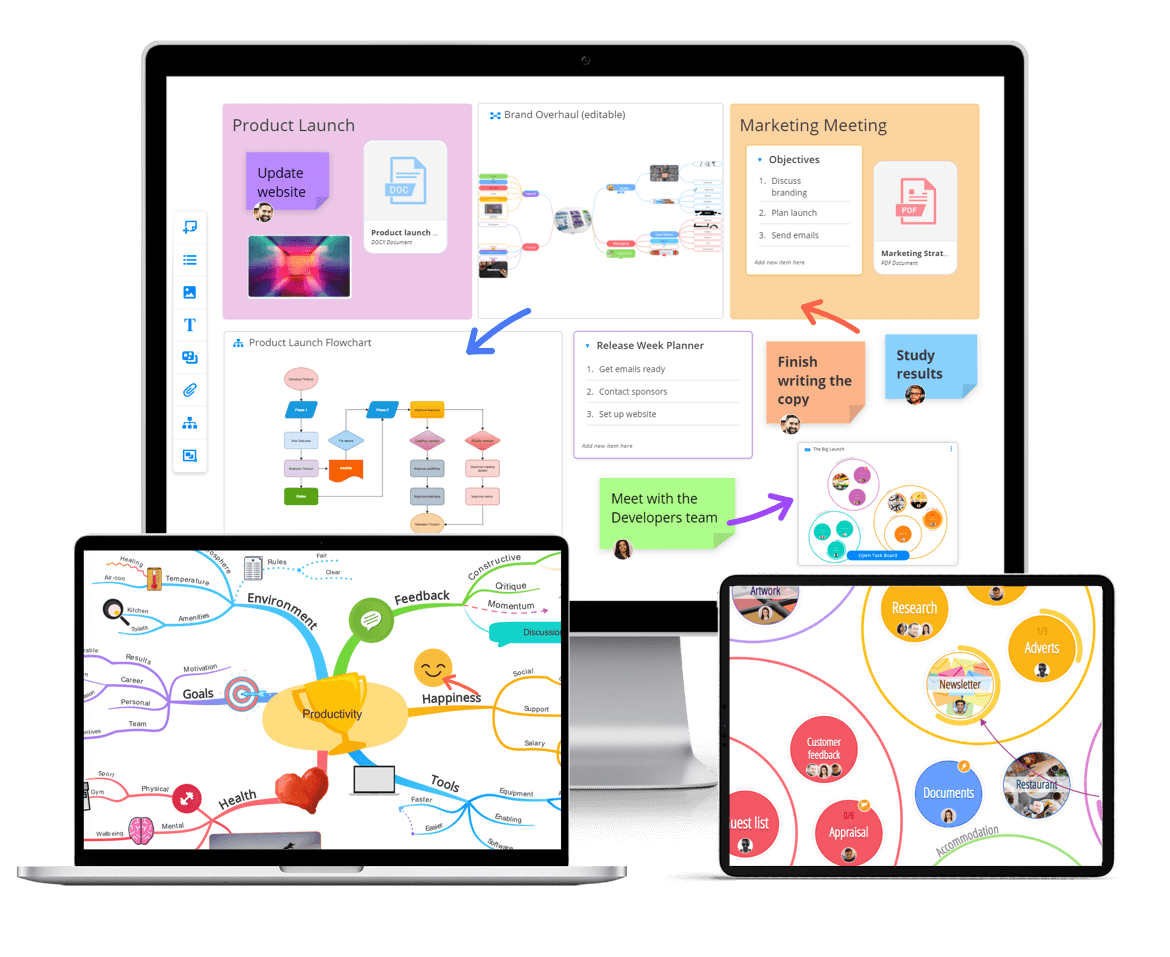
Ayoa puts all of it in one product. Three task board views run over the same data: Workflow, a Kanban board with categories and sub-categories; Canvas, where tasks appear as bubbles you cluster and arrange across an infinite canvas; and Gantt Timeline, with drag-and-drop scheduling, milestones and dependencies. Tasks carry start and due dates, urgency levels, an importance flag, progress percentage, assignees, checklists, notes, attachments, comments, tags and cover images, plus repeating tasks, filtering and archiving. Mind map branches convert directly into tasks. Chat messages drag into tasks. My Planner sorts your own work into Now, Next and Soon, backed by a daily summary email and mobile push notifications.
Neither Ayoa nor MeisterTask offers a workload or resource capacity view. The difference is that Ayoa’s is one subscription and one login, and the path from a branch to a tracked task never leaves the application.
Collaboration
MindMeister includes collaboration on every plan, including Free. Sharing covers email invites, link sharing, bulk invites, wiki maps for public contribution, and web publishing and embedding.
Ayoa includes real-time co-editing and collaboration on mind maps, whiteboards and task boards, with integrated chat that runs from inside a map or a board, and the ability to drag a chat message straight into a task.
Presenting, AI and whiteboards
MindMeister’s presentation mode and outline mode are free on every plan, which is a good decision and better than several competitors. Presentation mode was upgraded in April 2026 so you can click and drag to select topics as slides, then reorder them freely. AI is currently in beta, free on all plans, capped at five maps per user per day, and can generate a map from a prompt or an uploaded PDF, presentation, spreadsheet or image. MindMeister has no whiteboard.
Ayoa has a presentation mode that turns branches into slides without building a separate deck, with drag-and-drop reordering and a reveal-one-branch-at-a-time option. Its AI covers prompt to mind map, document to mind map, video to mind map, audio to mind map, notes to mind map, and photographed hand-drawn maps or sticky notes converted to digital, plus an AI assistant that creates branches, summarises notes, supports essay planning and works inside whiteboards. Neuro Settings tailor how the AI responds to how you think. OpenGenius states that Ayoa does not share user data or generated content to train AI models. Ayoa also allows dual screen modes when presenting so one can see ones notes on your screen, whilst the audience only sees the map.
Ayoa’s whiteboards are infinite canvases with a freehand pen, sticky notes, text and shapes, flowcharts, containers, Unsplash images and file attachments, with templates including SWOT analysis and meeting agendas.
Pricing, checked August 2026
MindMeister. There is no monthly billing option. MindMeister’s checkout offers only two choices, annually or semi-annually. On 12-month billing, ex VAT, Personal is €6.50 per user per month, Pro is €10.50 and Business is €15.50. Six-month billing costs more. MindMeister prices by region, so your GBP price is set at checkout. Education and non-profit discounts are available on application, though Meister does not publish the percentage. The Meister Bundle advertises savings of up to 30 per cent when you buy MindMeister and MeisterTask together.
MeisterTask. Sold separately, and it does offer monthly billing. Pro is €13.50 per user per month annually or €17.50 monthly. Business is €24 annually or €31 monthly. The Basic plan is free with three projects.
Ayoa. Free plan with up to 10 mind maps. Ayoa Ultimate is around $13 per user per month billed annually, or $17 billed monthly, with a three-year option marketed as three years for the price of two. There is a 7-day Ultimate trial. Team and education pricing is quote based.
Zapier flags the commitment structure as a real friction point, noting that exporting maps as a PDF or image and attaching images and videos “are limited to paid plans, which require you to pay for at least six months in advance, so it’s a less enticing option for solo mind mappers”, and listing MindMeister as “a bit pricey for solo mind mappers”.
What MindMeister users complain about
The recurring themes across G2, which rates MindMeister 4.2 from 34 reviews, and Capterra, which rates it 4.6 from 299:
- The three-map free cap, cited more than anything else
- No monthly billing
- Performance lag and crashes on large or complex maps
- Editor rigidity on deep maps. One G2 reviewer, a CEO, wrote: “Building deep mind maps just doesn’t work. I constantly lose content. It also gets really hard or even impossible to move around branches of the map”
- Limited map structures, with no fishbone, timeline or matrix layouts
- Export constraints, including PDF exports cutting off parts of maps
- Limited icon selection
- Mobile apps not matching the web version
- Email-only support below the Business tier, which TechRadar lists as a con
- Several Capterra reports of billing and auto-renewal disputes, including loss of data access after a failed payment
Who should choose which
Choose MindMeister if:
- You are already committed to MeisterTask and want tight two-way sync
- Clean, uniform, tidy maps are exactly what you want
- You have a large team
Choose Ayoa if:
- You want curved, tapering branches you shape and draw yourself in true authentic Buzan style maps
- You are neurodivergent, or support people who are, and want dyslexia view, Lexend font and Neuro Settings built in
- You want to experience the main benefit of the mind mapping process since a map created by you is more powerful than one created for you
The verdict
MindMeister is a well-made, well-liked collaborative mind mapping tool, and its generosity on collaborators is real. Zapier picked it as best for collaborating with a team, and that is a fair award.
But two things count against it for anyone whose main interest is authentic mind mapping. The editor produces uniform boxes with no freehand drawing, no hand-drawn styling and no organic tapering, and image uploads are paid-only. And the task management most buyers assume is included is actually a second product with a second bill.
Ayoa answers both. The branches curve because you curved them, taper the way a hand-drawn map tapers, and can be sketched on freehand. Images sit inside branches. And when the thinking is done, the same tool runs the work, on a Kanban board, a Canvas or a Gantt timeline, for one subscription. TechRadar rated Ayoa the best mind mapping software overall in its most recent roundup, ahead of MindMeister, and Zapier placed it second, citing its mind mapping pedigree, since the founder Chris Griffiths worked with Tony Buzan, the inventor of the mind map, for several decades.
Frequently asked questions
Is Ayoa better than MindMeister?
For mind mapping itself, yes. Ayoa offers curved, tapering, freehand branches, images inside branches on every paid plan, and radial and capture map formats, none of which MindMeister has. Ayoa also includes task boards, Gantt and whiteboards in one subscription, where MindMeister requires MeisterTask as a separate purchase. MindMeister is better for unlimited free collaborators and topic voting.
Does MindMeister include task management?
Not natively. Tasks created from a MindMeister topic are stored in MeisterTask, which is a separate product with its own subscription. Sync between the two is bidirectional and well built, but boards, timeline, subtasks and automations all live in MeisterTask. Ayoa includes Kanban, Canvas and Gantt views in the same product.
How many mind maps do you get free with MindMeister?
Three. The free plan also has no exports of any kind, no printing, no image uploads, no attachments, no private maps and no version history. Ayoa’s free plan gives up to 10 mind maps that remain editable, with export available.
Can MindMeister do hand-drawn or organic mind maps?
No. MindMeister supports curved or straight lines between uniform topic boxes, with themes and per-topic styling, but there is no freehand drawing, no sketch style and no organic branch tapering. Ayoa’s Organic Mind Maps support all three.
How much does MindMeister cost in 2026?
On 12-month billing, ex VAT, Personal is €6.50 per user per month, Pro €10.50 and Business €15.50. There is no monthly billing option, only 6-month or 12-month terms. MindMeister prices by region, so your local currency price is set at checkout. MeisterTask is priced separately from €13.50 per user per month. Education and non-profit discounts are available on application, though the percentage is not published. Checked August 2026.
Can I move my MindMeister maps to Ayoa?
Ayoa imports legacy iMindMap files and iMindMap Cloud maps directly. For MindMeister, the practical routes are exporting a map on a paid plan and using Ayoa’s AI document import to turn it into an editable mind map, or rebuilding the map, which is often faster than it sounds for anything under a few dozen branches.
Note: Prices and product features in this article were checked in August 2026. Competitor pricing and features change, so check the vendor’s own pricing page before purchase.
Get started with Ayoa
Ayoa seamlessly blends idea generation, task management and team collaboration features to help you achieve your best work.
Try it for free