

September 2, 2026 (Updated October 13th, 2026)
Ayoa vs XMind: Which Mind Mapping Software Should You Choose?

The short answer:
The difference between these two products comes down to one question: do you want a creative organic style of mind map, or one that is more structured?
In XMind, the software is an auto-layout engine, and a good one, offering many structured diagram types in which dragging a topic re-parents it within the hierarchy rather than repositioning it on the page. In Ayoa, you have the option of auto-layout or organic free hand layouts. Branches can curve where you bend them, taper from a thick trunk at the centre to fine tips at the edges, and can be drawn freehand on the canvas.
Whether that distinction matters depends on what you think a mind map is for. If it is a tidy way of presenting a structure you have already worked out, XMind will serve you well, and it will do it on more operating systems than anything else in the category. If the map is how you do the thinking in the first place, then the drawing turns out not to be incidental to the result, and that is where the two products stop being comparable, with.
At a glance

|

|
|
|---|---|---|
| Core idea | Organic mind mapping, then execution | Structured diagramming across nine layouts |
| Who positions the branches | You chose, auto-layout, or you do | The software does |
| Branch style | Curved, tapering, freehand, fully controllable | Auto-laid-out lines between topic boxes |
| Freehand drawing on the canvas | Yes, in mind maps and on whiteboards, including sketches | No. Drawing is confined to inside a topic box |
| Hand-drawn look | Drawn by you | A theme applied to machine-generated geometry |
| Free positioning | Standard, with Auto Layout available on request, or both | An opt-in toggle, and only within the Mind Map structure |
| Emphasis | Vary thickness, colour and imagery branch by branch | Branch thickness is a single setting for the map |
| Structures | Organic maps, radial maps, capture maps, whiteboards | 9, including fishbone, matrix, tree table and org chart |
| Task management | Kanban workflow, Canvas, Gantt, dependencies, milestones | Tasks on topics plus a Gantt. No Kanban board. |
| Whiteboards | Yes | No |
| Platforms | Web, iOS, Android, desktop (as a PWA install) | Windows, macOS, Linux, iOS, iPadOS, visionOS, Android, HarmonyOS, web |
| Free plan | 10 mind maps, boards view-only, no AI | 10 maps, 3 sheets per map, PNG export only, no collaboration |
| Price | Ayoa Ultimate 3 Year Option from only $6.10 per month. | Pro $59/year, Premium $99/year, Business $10 per seat per month |
| Independent standing | TechRadar #1 best mind map software overall | TechRadar #6 |
Two answers to the same problem
XMind has been going since 2007 and has earned its reputation. It is quick, it is uncluttered, it runs on more platforms than almost anything else in this market, and it turns a hierarchy into a presentable diagram with very little friction. Recent releases have added an in-map AI panel, image-to-map conversion and a collaborative outliner – similar such features have been available in Ayoa for several years.
Ayoa’s history runs through mind mapping specifically. Chris Griffiths developed iMindMap with Tony Buzan between 2005 and 2019, putting the hand-drawn mind map into software for the first time in 2007, and OpenGenius launched Ayoa in 2019 as its cloud successor. Buzan stressed that a mind map works because of things you do while making it. The process is as important as the outcome.
That principle is what separates these two products, so it is worth taking seriously rather than treating as heritage marketing.
Who moves the branches
XMind decides, and it is quite firm about it
XMind’s layout engine owns the geometry. Dragging a topic changes its parent rather than its position, sibling topics reorder up and down, and beyond that the software places everything.
There is an escape hatch under Advanced Layout, where three toggles appear: Branch Free-Positioning, Flexible Floating Topics and Topic Overlap. Branch Free-Positioning genuinely works, though XMind’s documentation attaches a significant condition to it, stating that the feature “is applicable only to the Mind Map structure”. Getting anything closer to free placement means detaching topics from the hierarchy so they float unconnected, which solves the positioning problem by removing the map.
XMind’s own users raise this more than any other design issue. Many G2 reviews cite limited customisation specifically, and G2’s summary of the theme reads: “Users express frustration over limited customization, wishing for more flexible layout options and organizational structures in Xmind.”
Ayoa hands you the pen, and the reason matters
In Ayoa, branches curve rather than connecting two boxes with a straight line. Hovering over a branch reveals control points you can drag to bend it into whatever shape you want. Thickness varies across a single map, so it tapers from a heavy trunk at the centre down to fine tips at the edges. There is a freehand mode, and you can sketch an image inside the map rather than only importing one.
Behind that sits a finding that rarely appears in software comparisons, though it probably should. Across seven free-recall experiments, Wammes, Meade and Fernandes found that people remembered drawn words at more than twice the rate of written ones. The effect showed up with as little as four seconds of drawing time, it beat forming a mental image of the same word, and it even beat looking at a ready-made picture of it. Crucially for the large number of people who insist they cannot draw, artistic ability made no difference to the result. What appears to do the work is the act itself: choosing what to represent, committing to a shape, moving your hand.
This is the strongest single piece of evidence in the area, and note what it is evidence for. Not attractive maps. Drawing. Which means a tool that lets you draw is doing something a tool that draws for you cannot do on your behalf, however good the output looks.
Ayoa still offers Auto Focus and Auto Layout for the moments when you want a map tidied up, so the automation exists where it helps. The difference is which one is the default.
The hand-drawn theme, and why it is not the same thing
XMind introduced a hand-drawn style in 2022, and it looks good. Its own announcement describes it as turning “the fill of subtopics and lines into a delightful hand-drawn style with only one click”, offering five fill styles such as scribble and hatching alongside 400-plus stickers and 40 illustrations.
Read as a design feature, that is a nice piece of work. Read against the research above, it is doing almost none of the useful work, because the branches are still machine-placed and nobody drew anything. The wobble is a filter applied after the fact. If the memory benefit comes from the act of drawing, a rendering that simulates the appearance of having drawn arrives too late to help.
The same logic applies to XMind’s Draw to Map feature, described on the App Store as: “Sketch your ideas by hand, and AI converts them into a clean mind map.” It is a clever input method, but your sketch is consumed rather than kept. Ayoa has a comparable feature for digitising a photographed hand-drawn map, with the difference that it delivers you onto a canvas you can carry on drawing on.
On iPad, XMind does support Apple Pencil, though the drawing is confined to the inside of a topic box. A request on XMind’s own support forum for freehand drawing on the canvas, so that users could “leave those as unstructured notes/drawings within the structured mindmap”, was posted in November 2022, followed up in March 2023 and has never received an official response.
Structure, where XMind is on firmer ground
It would be a poor comparison that treated automatic layout as simply a weakness, because the thing XMind enforces is genuinely valuable.
Hierarchical organisation has one of the largest and least disputed effects in the memory literature. Bower, Clark, Lesgold and Winzenz found recall two to three times better when word lists were presented as a hierarchy rather than randomly, with participants recalling 73 words out of 112 from organised material against 20.6 from the same words scattered. Structure is not a stylistic preference. It is most of why the technique works at all.
The caveat is that Bower’s finding concerns conceptual hierarchy, the relationships between ideas, rather than the visual regularity of the diagram. Ayoa’s organic maps are every bit as hierarchical; a central idea, main branches, child branches. They simply do not require every branch to sit at a machine-chosen angle in order to be one. You can have the structure without surrendering the drawing, which is the whole argument in a sentence.
Images, colour and knowing what to emphasise
Two further findings bear directly on what these editors let you put on a branch.
The first is dual coding, Paivio’s long-established account of verbal and visual information being encoded through functionally independent channels, so that material represented both ways is retained better than material represented either way alone. The second is the picture superiority effect, of which the most quoted demonstration is Standing’s, where recognition memory for 10,000 images ran at roughly 83 per cent accuracy. Neither is contentious, and together they explain why an image on a branch is worth more than the space it occupies.
Both tools support imagery. XMind offers stickers, illustrations, icons and local images, all of which decorate topic boxes. Ayoa places images, GIFs, sketches and AI-generated images inside branches, and lets you draw one on the spot if you cannot find what you want.
Task and project management
XMind’s task layer is more capable than most mind mapping tools bother with, and narrower than its feature list implies.
The good part is genuinely good. You can attach a task to any topic, set priorities, deadlines and progress, and work in either a To-do mode for checklists or a Work Breakdown mode for planning. The Gantt chart creates dependencies automatically from the order in which you select tasks, calculates start and end dates, cascades changes through dependent items, skips non-working days and stays in two-way sync with the map.
What is absent is a board. XMind’s Kanban offering consists of templates that draw a Kanban-shaped mind map, not an interface with columns and draggable cards, and there is no workload view, no milestone object and no filtering or grouping of tasks. Task management is missing entirely from the Free and Pro tiers, and the Gantt is view-only until Premium. XMind’s own documentation is candid about where this leads, suggesting you export tasks to .ics or .csv “to continue in other tools”.
Ayoa keeps them. Three views run over the same tasks: Workflow, a Kanban board organised by category and sub-category; Canvas, where tasks appear as bubbles you can cluster and arrange across an infinite space; and a Gantt Timeline with drag-and-drop scheduling, milestones and dependencies. Tasks carry start and due dates, urgency, an importance flag, progress, assignees, checklists, notes, attachments, comments, tags and cover images. Branches convert directly into tasks, and My Planner sorts your own workload into Now, Next and Soon.
Collaboration
Collaboration is the weakest of XMind’s pillars, and independent reviewers say so without much hedging. TechRadar lists “Collaboration is limited” among its cons, and Zapier recommends XMind for people who “just make mind maps by yourself”, adding that “there are better options out there for teams”.
The tiering explains the reputation. The individual free plan has no real-time collaboration at all, Pro offers basic collaboration capped at 50 maps, and genuine co-editing with threaded comments arrives at Premium. Version history runs to three days on Free and Pro. Where it does exist, the implementation is sound, with workspace permissions, resolvable comment threads and Slack notifications.
In Ayoa, real-time co-editing applies to mind maps, whiteboards and task boards from the start, with chat running inside maps and boards and the ability to drag a message into a task.
Who should choose which
Choose XMind if:
- You need fishbone, matrix, tree table, brace map or org chart layouts alongside mind maps
- You want a native Linux, visionOS or HarmonyOS build
- You work mostly alone, and collaboration is a convenience rather than a requirement
- You want a fast, keyboard-driven, outliner-style way of building maps
- You need LaTeX for maths and chemistry inside your maps
- Your organisation requires local file storage rather than cloud
Choose Ayoa if:
- You want to draw your map rather than fill in a layout the software chose
- You want to emphasise particular branches rather than style the whole map at once
- Sketching on the canvas matters to you, rather than applying a sketch-effect theme
- You need a real Kanban board and task management your team can run work on
- You want whiteboards in the same subscription
- You collaborate in real time as standard rather than as an upgrade
- You are neurodivergent, or support people who are, and want dyslexia view, the Lexend font and Neuro Settings built in
The verdict
XMind is a well-built product and this is a fair contest. It is fast, it runs everywhere, its Gantt is properly engineered, its AI work through 2026 has been serious, and its insistence on clean structure is doing something the research says genuinely matters.
Where it falls short is that it is a diagram engine which happens to include a mind map layout, and its idea of hand-drawn is a finish applied to geometry the software generated. Its own users are the ones asking for more layout freedom, and its own support forum carries a three-year-old unanswered request for freehand drawing. For a tool in this category, those are revealing gaps rather than minor ones.
Ayoa is the product where you draw, and the case for that is stronger than aesthetics. Drawing has the best-evidenced memory benefit of anything discussed here, images and hierarchy each have decades of support behind them, and selective emphasis works in a way that decorating everything does not.
TechRadar rated Ayoa the best mind mapping software overall in its most recent roundup, ahead of XMind. With task boards, Gantt, whiteboards, chat and AI in the same subscription, it is also attempting a job XMind has chosen not to take on.
Frequently asked questions
Is XMind better than Ayoa?
XMind is better if you need several structured diagram types such as fishbone, matrix and tree table, or a native Linux build. Ayoa is better for mind mapping itself, because you position and draw the branches instead of filling in an automatic layout, and it includes real task boards, Gantt, whiteboards and collaboration that XMind either lacks or restricts to higher tiers.
Does XMind let you position branches freely?
Only in a limited way. XMind is an auto-layout engine, and dragging a topic re-parents it rather than moving it. Branch Free-Positioning exists as an opt-in toggle, but XMind’s documentation states it “is applicable only to the Mind Map structure”. Ayoa lets you curve and position any branch by default using control points, with Auto Layout available if you want the software to tidy up.
Is XMind’s hand-drawn style the same as drawing your own mind map?
No. It is a theme that applies a sketchy stroke and scribble fills to a map the software laid out automatically. That distinction matters because the research on drawing and memory points to the act of drawing rather than the appearance of the result, so a filter applied afterwards does not do the same work.
Does it actually matter whether you draw a mind map yourself?
The evidence suggests it does, though not for the reasons usually given. Drawing something is strongly linked to better recall, with one well-replicated set of experiments finding drawn words remembered at more than twice the rate of written ones, regardless of drawing ability. Images beat words, and hierarchical organisation improves recall substantially. Ayoa was developed specifically because of this.
Does XMind have a Kanban board?
No. XMind’s Kanban offering consists of templates that draw a Kanban-shaped mind map rather than a board with columns and draggable cards. Ayoa has a Workflow Kanban view, plus Canvas and Gantt Timeline views over the same tasks.
Prices and product features were checked in September 2026. Competitor pricing and features change, so check the vendor’s own pricing page before purchase.
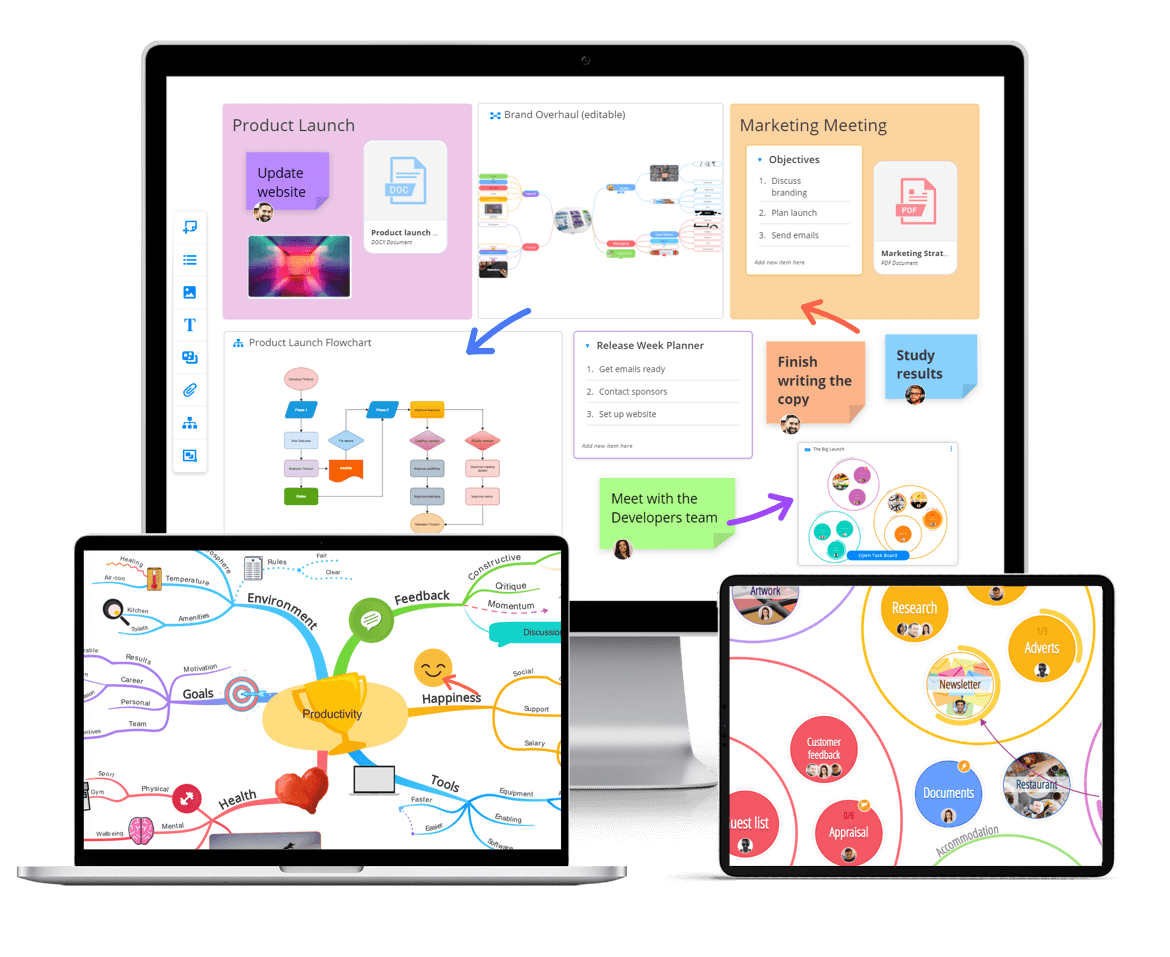
Get started with Ayoa
Ayoa seamlessly blends idea generation, task management and team collaboration features to help you achieve your best work.
Try it for freeResearch referenced: Wammes, Meade & Fernandes (2016), The drawing effect: Evidence for reliable and robust memory benefits in free recall, Quarterly Journal of Experimental Psychology. Paivio (1986), Mental Representations: A Dual Coding Approach. Standing (1973), Learning 10,000 pictures, Quarterly Journal of Experimental Psychology. Bower, Clark, Lesgold & Winzenz (1969), Hierarchical retrieval schemes in recall of categorized word lists, Journal of Verbal Learning and Verbal Behavior. Hunt (1995), The subtlety of distinctiveness: What von Restorff really did, Psychonomic Bulletin & Review. Bar & Neta (2006), Humans prefer curved visual objects, Psychological Science. Farrand, Hussain & Hennessy (2002), The efficacy of the ‘mind map’ study technique, Medical Education.